
Your records already hold the answer. Now your staff can ask.
Your data is complete and correct. Reaching it means knowing the right module, the right filter and the exact spelling. We add an assistant that just answers the question.

The short version
A better interface does not make the questions easier
Search boxes, filters and dashboards assume you already know where to look and what it is called. Three failures turn up in almost every system.
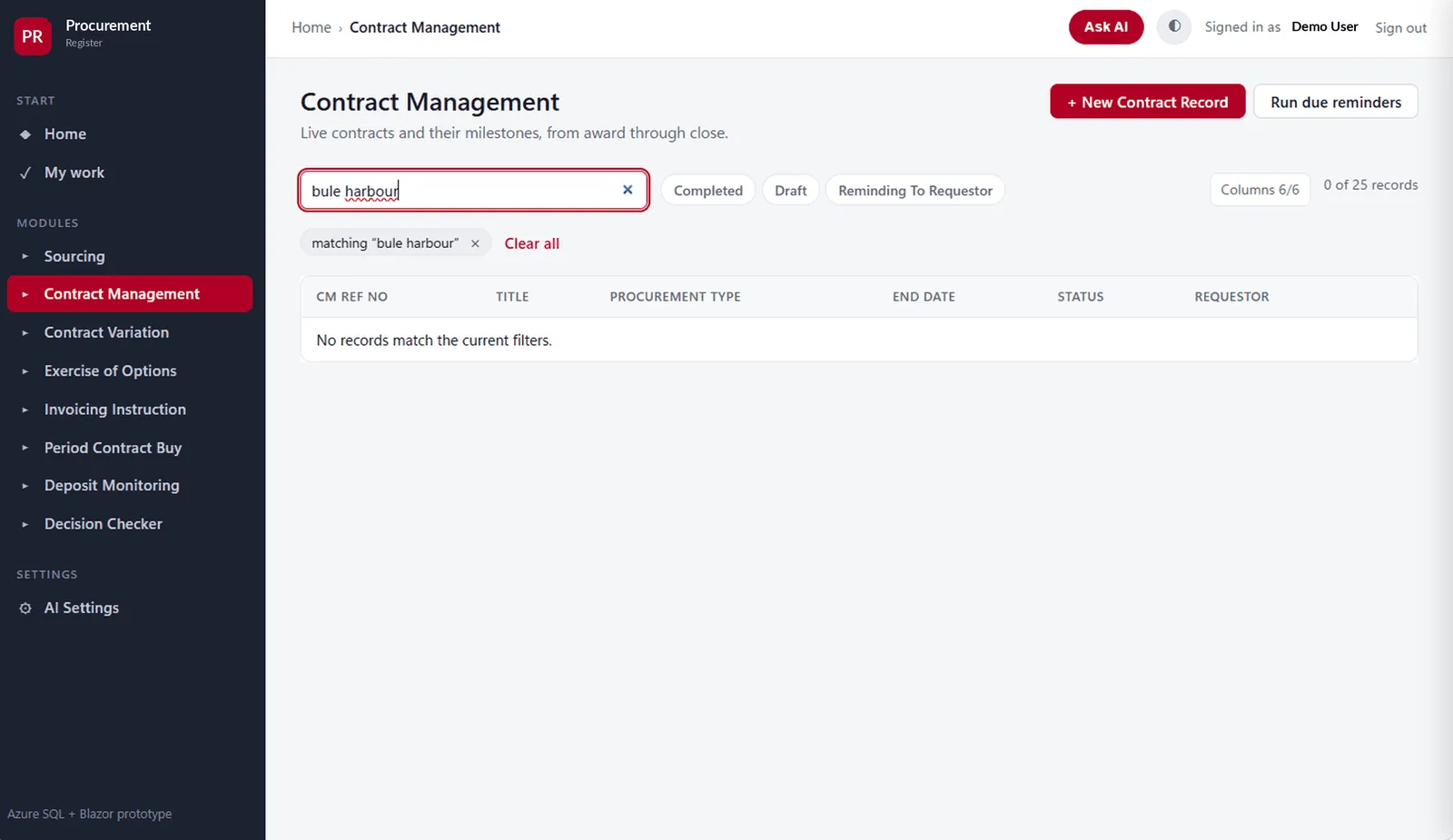
- A misspelling ends the search. Type a supplier’s name slightly wrong and the screen returns nothing. The record exists; the search cannot reach it.
- Some questions cross modules. ‘Everything one vendor has open’ spans four registers. Nobody answers that without reconciling by hand.
- An empty result explains nothing. No rows and no reason. So the user phones the department that owns the system.
An assistant that answers from your records — or says why it cannot
The value is not that it talks. It reaches data your interface hides, and it refuses before it guesses.
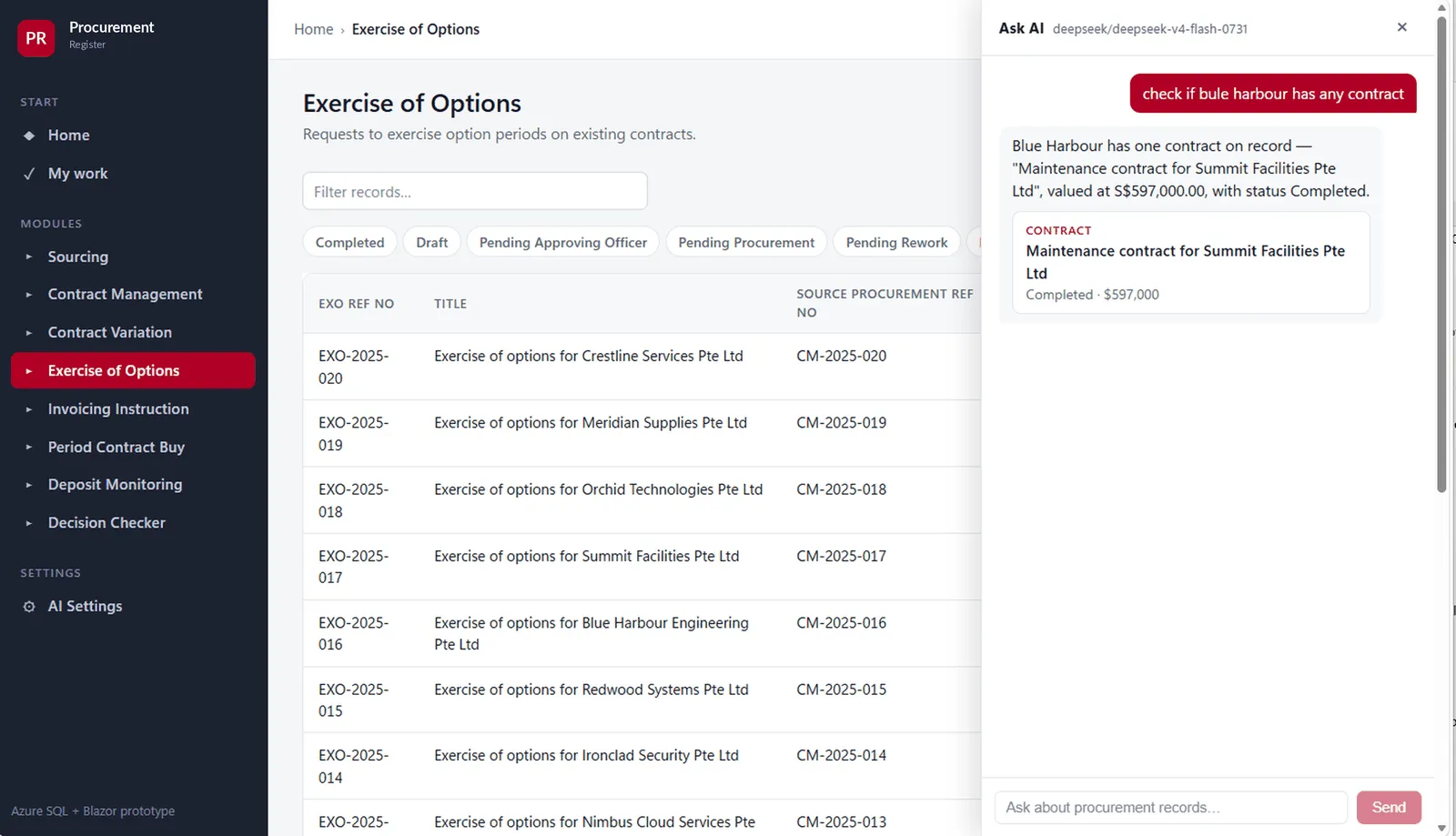
- It resolves meaning, not spelling. A mistyped vendor name still finds the right vendor. A typo stops costing a phone call.
- It answers across every module. One question, four registers, one answer — from whatever screen the user is on.
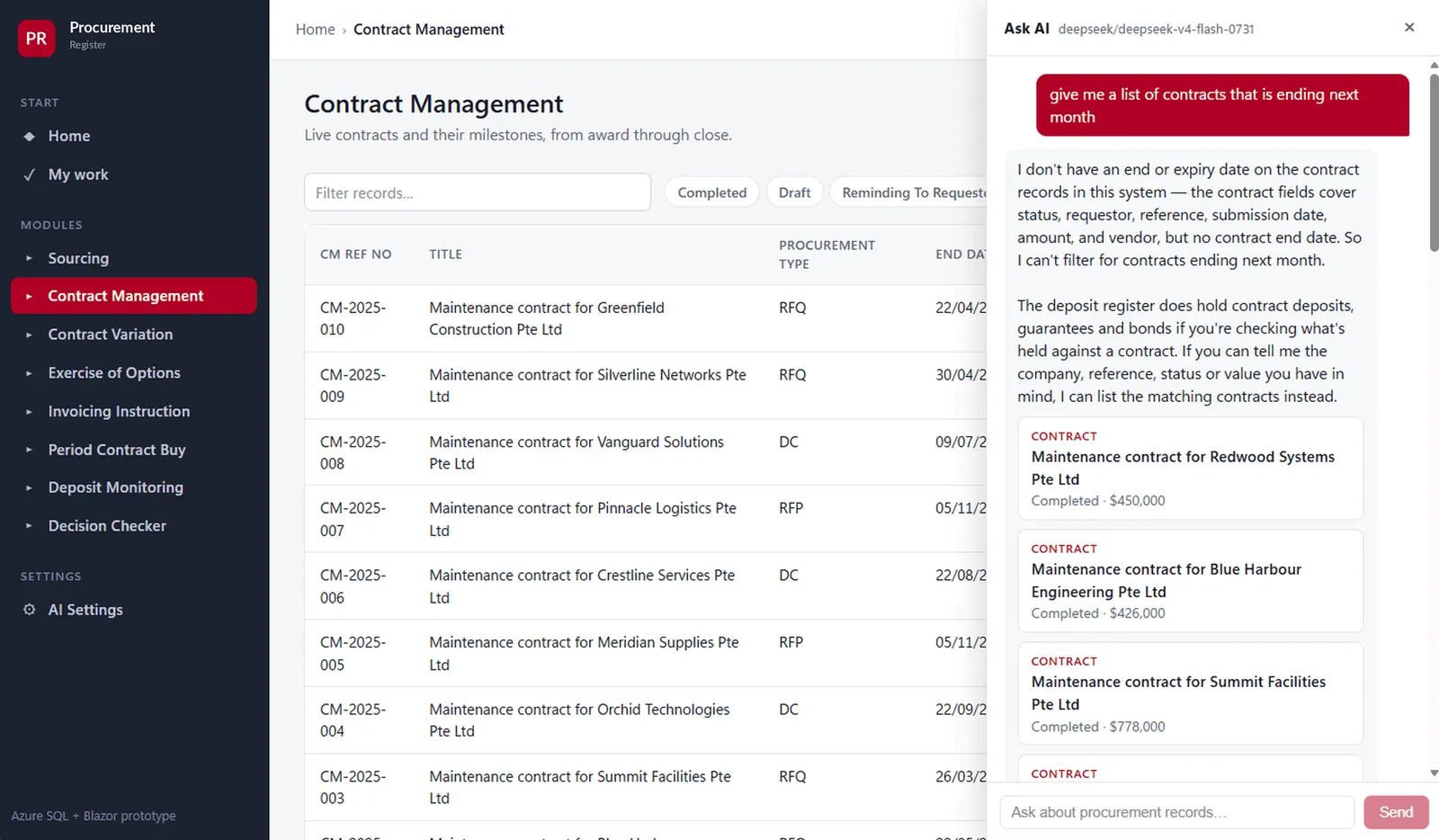
- It refuses rather than guesses. If your records do not hold it, it says so and offers the nearest real thing.
- Every refusal is a free gap analysis. The questions it cannot answer are the reports your business wanted and nobody built.
- The model is a setting, not a commitment. Accuracy, cost and confidentiality are dials — including a model on your own hardware.
- Nothing structural changes. No migration, no change to approvals or permissions. It can be switched off without a mark.
Four registers, one pass, one answer
Nobody reconciles four registers by hand to answer one question. This is what happens instead.
- 1The question“What has Sim Heng got open with us?”Typed the way a manager would say it, from any screen.
- 2Resolve the meaningA typo still finds the vendorMatched against the real entities in your data, not against the spelling.
- 3Read every registerOne pass, four placesWithin what the signed-in user is already allowed to see.
- Contracts
- Options
- Invoices
- Deliveries
- 4One answerWith the records it came fromPlus a plain statement of any part it could not answer.
↑ The step most tools skip
When your records do not hold the answer, the chain stops at the last honest step and says so. It will not invent a figure.
The same system, before and after
Real screens from a procurement system with an assistant added. Read them in order — the third one is the one that matters.
Why these are not a live client’s screens
The screens above come from a working development build with seeded test records. The product branding and the signed-in account have been replaced.
Before any client’s screens appear here we need their written consent, with the same anonymisation applied.
A pilot you can judge on one number
A pilot is not there to prove the technology works. It is there to find out whether it removes work.
- 01The questions people cannot answerWe collect the questions your staff currently pick up the phone to ask.
- 02Read-only connectionWe connect through existing permissions. Nothing is copied out or altered.
- 03Assistant in the systemIt appears inside the screens your team already uses, answering from live data.
- 04Supervised pilotOne team, real questions, a fixed period. Every refusal logged as a gap.
- 05Decide with evidenceKeep it, widen it, or switch it off. All three stay open.
Talk to us
Which question does your system refuse to answer?
Most owners can name one immediately — the question that means four screens, a spreadsheet export, or asking the one person who knows.
On the first call
Nothing is connected. We ask what the question is, which system holds the answer, and who currently gets phoned when it cannot be found.